
I’ve wanted to do a computer building guide for forever not just because I’m an IT Student but I think it is just a skill that you need to have in the 21st century. Automated tasks to increase efficiency has been a major target for the industrial revolution and the invention of computer to do complex calculation will be recognized as the turning point in human history. It opened the door for so much possibilities and combined with the Internet, mankind finally has a centralized place to communicate and share their knowledge that is accessible from almost everywhere around the world. Commercialization of technology and personal computer started in the 80s and the speed of technological evolution is just astonishing. The need for mobility transformed old school computer to be more compact, and then came the laptop, then thinner laptop, then it creep its way into telephone. In just over 10 years since Apple introduced the original iPhone in 2007, modern day smartphone is a device that fit inside our hand and grant us access to all of humanity has to offer, yet we use them to look at funny cat video.
Back to topic, so what we are trying to achieve today is to build a brand-new PC, utilizing the bargaining price of Black Friday. The system should be more then adequate to the general user tasks such as web browsing, watching Youtube, get on Facebook, create and edit documents, spreadsheet and presentation plus decent gaming performance for some popular online games like PUBG, Fortnite, CS:GO with a solid foundation for future upgrade. For a bare-bone system, what we need is 6 core components: CPU, Motherboard, RAM, Storage, power supply and a case. I will try to explain in details the purpose and relationship between these items. Another condition is that all of this this must be new and purchasable online or in store because the used market is too unpredictable to rely on. The website I’ll be using in Newegg.ca and all the links will be given in their respective section. As we are approaching the holiday, price fluctuation is inevitable so by the time you read this, the price might not be as listed.
CPU
The first item to choose is always the CPU. It’s the heart of the system and all other components will be build based on it. For our bang-for-the-buck system, the CPU I chose is AMD Ryzen 3 2200G
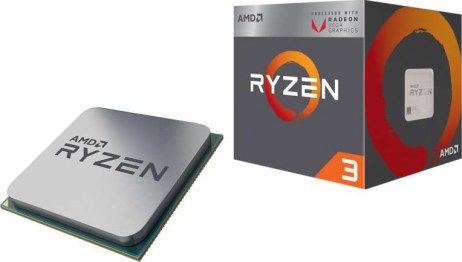
A quad-core CPU at 3.5 Ghz that comes with a cooler and integrated Radeon Vega 8 is a solid choice for every tasks that you could throw at it, and having integrated graphic means you don’t need to spend your money on a graphic card (for now). Vega 8 can handle everyday tasks easily and its performance is only about 10% less than an GTX 1030, a video card that cost about $100. If you want more power, the 2200G’s big brother, the Ryzen 5 2400G ($210) cost 50% more and offer about 35-40% boost in graphic performance.
Motherboard
The way to pick a motherboard is based on two major factors: compatibility with the CPU and overclock ability (aesthetic, ports selection and fancy features is overlooked due to our budget). Overclocking (OC) is a major part of Ryzen as it is so easy to get some extra performance with minor software tweaking and is highly supported on all Ryzen chips and most motherboards; meanwhile Intel will only allow overclocking on their higher-end CPU and boards. For our AM4 board, A line is disqualified cuz it doesn’t support OC, the high-end X and Z line is a no due to budget so either the B350 or B450 will do, buy the cheapest one that is available to you. The one i found is the ASRock B450M-HDV.
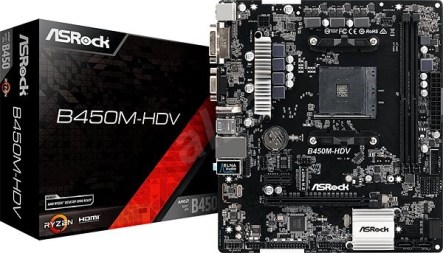
The real price is $93 but ASRock is offer a crazy $30 rebate, making this an absolute steal . ASRock’s reputation is solid and this board might not have fancy RGB but all the features are useful: lastest B450 chipset and support for M.2 SSD. Future upgradablity is very good as it will support all 1st and 2nd gen (maybe even 3rd gen) Ryzen so if you want to upgrade to a 8 cores, 16 threads Ryzen 7 2700x plus a GTX 1080, this motherboard can handle it just fine.
RAM
Unfotunately this is the one items where you might have to spend more money than expected, the low supply has driven the RAM price to almost double the 2016 price for exactly the same thing To make matter worse, Ryzen is RAM hungry so you will need at least two sticks of 4GB DDR4 RAM and overclock it. Remember to always get your components from reputable brand.
Power Supply.
There’s a saying in the computer building world is that you should never cheap out on your PSU. After all, it is the one sending all the electricity through your system and if any voltage fluctuation were to happens, your hard-earned, built-it-your-self computer will be literally toasted so always, always go with a reputable brand new PSU. The cheapest good one I found is EVGA 550 N1
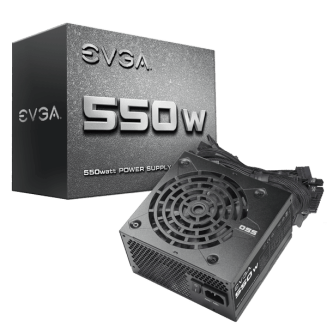
Again, another holiday steal with a $20 rebate, bringing the $50 price down to just $30 for a big brand name like EVGA. it is definitely not the best looking PSU and don’t expect any modular design here but at 550W, it is fully future-proof for any graphic card and CPU you want to add in.
Storage
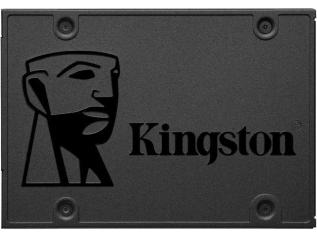
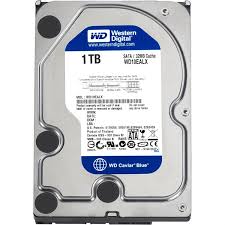
It’s 2018, an SSD for the OS is a must, even for any budget build, unless you’re talking like ultra ghetto $69 budget build. Beside that, adding an SSD is the single best upgrade you can make to improve your system performance and also we will need a good-ol fashioned high capacity hard drive to store everything else.
Case
Usually for budget build, aesthetic is mostly ignored to truly squeeze the most value out of your money and usually people will pick the cheapest case they can get their hands on but I believe that for a system that you personally build, you would want to proudly display that, even if you don’t spend a fortune on it. So I try to find a good looking case that tick the major 2018 trend: tempered glass case. It wasn’t easy since our budget is only $500 and I refuse to choose from any brand that I haven’t heard of but after looking around, I found a beautiful tempered glass case for around $60.
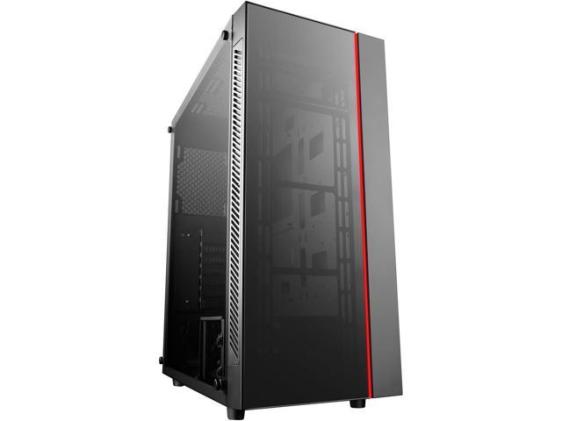
Definitely a 2018-apprpoved case with tempered glass on the side AND the front with a gamer-ish red accent that I personally think is what makes this case stand out. It’s not screaming out “look-at-me, I’m a gamer” but still have manage to be unique.
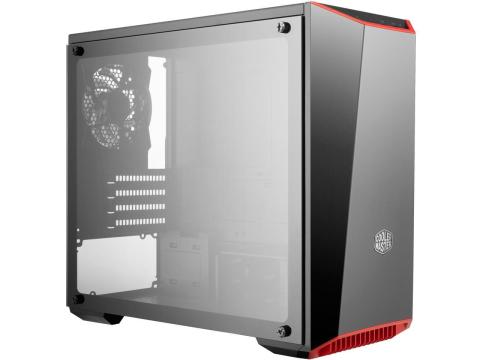
Another good choice from a major brand is CoolerMaster MasterBox Lite 3.1 TG, selling right now for an incredible price of just $40 ($10 rebate from $50)
Conclusion:
At the check out, our total comes to $506.76, a bit over the $500 budget but don’t forget that we have $50 rebate (20 from psu and 30 from motherboard) which significantly bring us back into budget. At $450, I personally don’t think you can build a better brand-new budget system than this at the end of 2018. All of our foundation is rock-solid: tempered glass case to show off the system, 550W power supply for future-proofing, lastest B450 motherboard that supports overclocking both the CPU and RAM so u will have a good performance boost, a CPU with integrated that can handle everyday tasks plus online gaming at 1080p 60 FPS and so much room for improvement just by sticking a GTX 1050 TI or 1060 6GB or RX 570 or R580 to give that give its that graphical boost. If you don’t know how to assemble the system, watch the video i linked below
 Thomas' Tech Books